Подведи собственные итоги года совместно с YOUGAME и забери ценные призы! Перейти

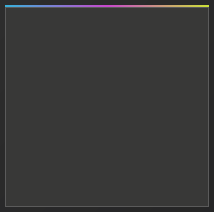
Каким чудом сделать градиент-полоску сверху экрана? > (скрин в теме)

  • Автор темы Автор темы el1an
  • Дата начала Дата начала
Начинающий
Начинающий
Статус
Оффлайн
Регистрация
9 Авг 2019
Сообщения
167
Реакции
10
Шапка профиля сам вопрос

Вот полоса:
1595360143760.png
 
ShareX is a screenshotting tool that allows you to use many specifications (from image filters up to custom domains etc.)

So I decided to release a gamesense themed "filter" preset.

Preview -
i9B5NnA.png


HOW TO INSTALL

Step 1. - Open ShareX
Step 2. - Click on 'Task Settings' then on 'Effects' (it's under the 'Image' tab)
Step 3. - Click on 'Image effects configuration...'
Step 4. - Make a new preset using the button 'New Preset' and name it
Step 5. - Click the 'Import' button in the down left corner then choose 'From File'
Step 6. - And choose the file.

Step 7. - Close everything (except the ShareX ofc) and click on 'After capture tasks' then check the 'Add image effects / watermarks'
Step 8. - You're done.


//
Пожалуйста, авторизуйтесь для просмотра ссылки.
//


^ (GIF tutorial here if you can't do it.) ^

Last edited by mesicek (30th Apr 2020 23:18:05)

Источник:

Пожалуйста, авторизуйтесь для просмотра ссылки.
 
Обратите внимание, пользователь заблокирован на форуме. Не рекомендуется проводить сделки.
ShareX is a screenshotting tool that allows you to use many specifications (from image filters up to custom domains etc.)

So I decided to release a gamesense themed "filter" preset.

Preview -
i9B5NnA.png


HOW TO INSTALL

Step 1. - Open ShareX
Step 2. - Click on 'Task Settings' then on 'Effects' (it's under the 'Image' tab)
Step 3. - Click on 'Image effects configuration...'
Step 4. - Make a new preset using the button 'New Preset' and name it
Step 5. - Click the 'Import' button in the down left corner then choose 'From File'
Step 6. - And choose the file.

Step 7. - Close everything (except the ShareX ofc) and click on 'After capture tasks' then check the 'Add image effects / watermarks'
Step 8. - You're done.


//
Пожалуйста, авторизуйтесь для просмотра ссылки.
//


^ (GIF tutorial here if you can't do it.) ^

Last edited by mesicek (30th Apr 2020 23:18:05)

Источник:

Пожалуйста, авторизуйтесь для просмотра ссылки.
дел
 
Назад
Сверху Снизу